
"Shopify hosts my store, so why would I monitor it?" It's a fair question, and the answer costs money when you get it wrong. Shopify's infrastructure is excellent. Your store is more than Shopify's infrastructure, though. It's your domain and its DNS, your theme, a dozen apps, maybe a custom API or two, and the payment and fulfillment services stitched in behind them. Any of those can fail while Shopify's status page stays a reassuring green.
So the two answer different questions. Shopify's status page tells you whether Shopify has a problem. Uptime monitoring tells you whether your store works for someone trying to use it from the outside.
Why Shopify Stores Still Go Down
Most of the ways a Shopify store breaks have nothing to do with a platform-wide outage.
DNS and domain problems
Your custom domain points at Shopify through DNS records you manage. A bad record, a change that didn't propagate, or a domain that quietly expired can make the storefront unreachable before a request ever reaches Shopify. DNS monitoring watches for exactly this.
SSL and TLS problems
Shopify issues certificates for stores connected to it properly, but provisioning still depends on your domain being set up right. When it isn't, browsers show a security warning and customers leave. Expired and failed certificates are a silent, avoidable kind of outage.
Theme and code errors
A theme edit or a broken Liquid template can take out one page while the rest of the store looks fine. The homepage loads, the product page throws an error, and the server still answers 200 OK.
Apps and third-party services
Search, reviews, subscriptions, inventory, personalization and fulfillment often live with other companies. Shopify can be perfectly healthy while one of those isn't, and an app that errors or injects broken script can take a page down with it.
Headless and custom storefronts
If you've gone headless with the Storefront API, or built a custom frontend, you've added hosting, build steps and APIs that fail on their own schedule. Shopify's status page can't see any of it.
The Five Checks I'd Set Up First
You don't need to monitor every URL in the store. Start with a handful that tell you whether customers can reach it and shop.
1. The storefront
Monitor the homepage first. It catches the big failures: the store is unreachable, DNS has stopped resolving, the certificate is broken, or something between the customer and Shopify has stopped answering. It's the floor. The rest of this list covers what it misses.
2. A real product page, with a content check
Pick a product that matters and monitor its page. Then check for something that should always be on it, like the product's name or the "Add to cart" text. A product page can return 200 OK and still be broken, and a content check is what tells the difference.
3. The cart
The cart exercises a different part of the storefront and sits closer to the path that earns money, so it's worth its own monitor. Be clear about what it proves, though. Reaching the cart or checkout URL tells you that page loads. It doesn't tell you a customer can complete a purchase. Testing a full transaction takes synthetic transaction monitoring, which drives a real browser through checkout, and a basic uptime check shouldn't pretend otherwise.
4. Your domain and certificate
Watch the things customers use to reach Shopify at all. DNS, SSL and domain expiry monitoring catch a different class of failure from a check on the storefront URL. Your store can vanish because of a lapsed domain while Shopify runs without a hitch.
5. The services behind the store
Think about what happens after the page loads. Does the store depend on an inventory API, a subscription platform, a search provider or a custom backend? If customers would notice it stopping, give its endpoint a monitor of its own. API monitoring covers how to check those properly, including what the response contains.
A 200 OK Doesn't Mean Your Store Works
This is the failure basic uptime monitoring misses most often. A server can answer successfully and still deliver the wrong page. A deploy might have introduced an application error that renders as a friendly message. An app might have changed the page. A product's price, or the button to buy it, might have disappeared.
To a status-code check, all of that looks like HTTP 200 OK and a green light. To a customer, the store is unusable.
A content check asks a better question. Instead of whether the server answered, it asks whether the page you expected came back, with the text that should always be there. For an online store that's the difference between knowing the server is up and knowing people can buy something.
Your Store Is More Than Shopify
Picture a store where the storefront loads normally while the service behind inventory, subscriptions or search is down. Shopify is healthy. The homepage returns 200 OK. Customers still can't get what they came for.
Separate monitors on the endpoints your store depends on give you a signal when one of them changes, and they make troubleshooting much faster. You see which piece failed instead of just seeing that the storefront is unhappy. That matters more as stacks grow. One store might run commerce on Shopify, subscriptions on another platform, search on a third and inventory on its own API. The customer doesn't care which company runs which piece. They experience all of it as your store.
How Often Should You Check a Shopify Store?
Choose the interval by how quickly you need to know.
For a store doing real volume, a check every 30 seconds to a minute means you hear about an outage before many customers do. For a small store, or a page that isn't on the buying path, five minutes is often plenty, and that's what Sentinel's free plan runs.
A Shopify-hosted storefront doesn't care how often you check it. It's served from Shopify's global network, which handles traffic at a scale that makes any monitoring interval a rounding error. The load question only matters for things you run yourself, like a custom API on a single server. Even there, Sentinel's regions are spread out within each interval instead of all arriving at once, so frequent checks don't land as a burst.
Monitoring From One Location Isn't Enough
Your customers aren't in one data center, and your monitor shouldn't be either.
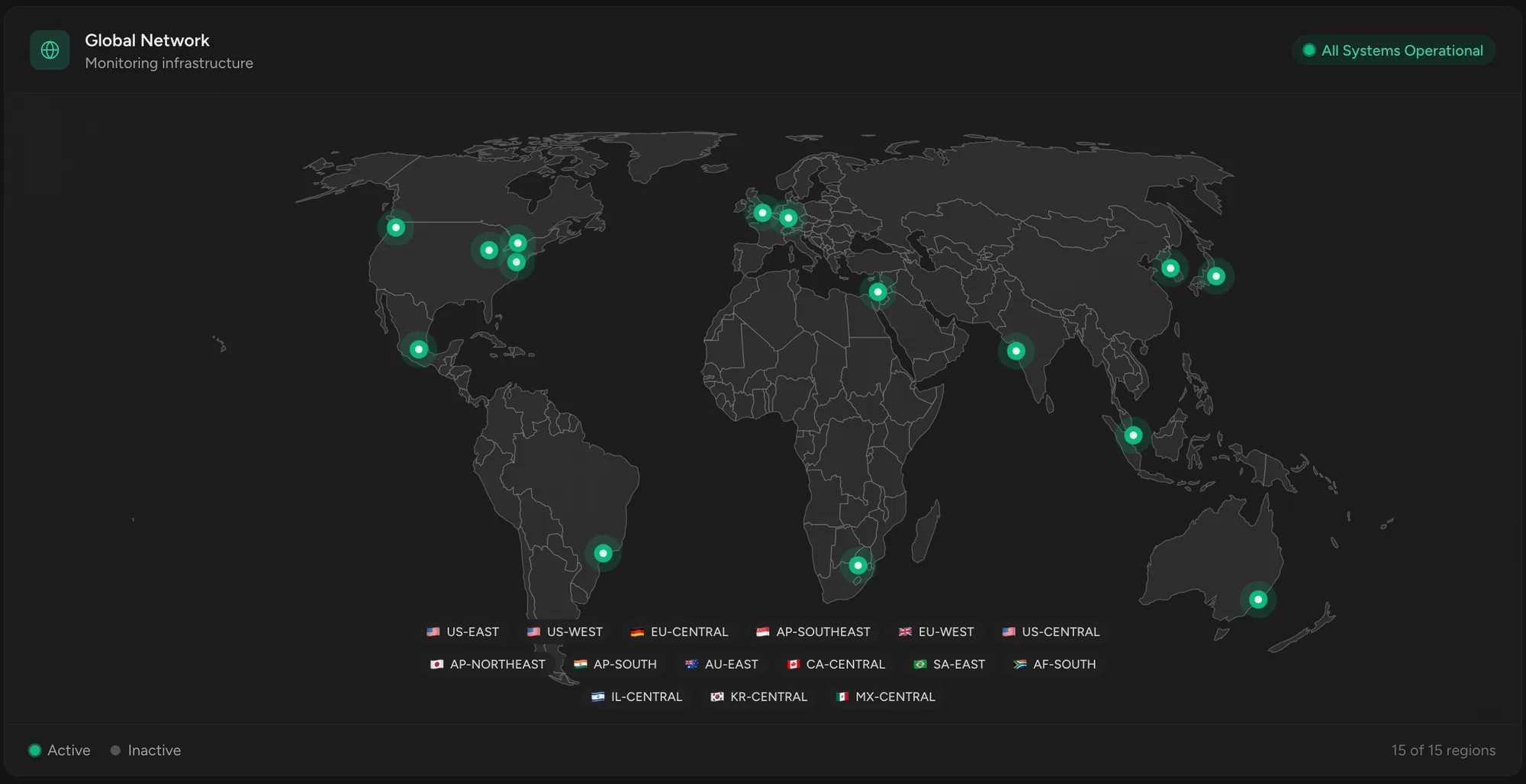
A store can be reachable from one network and broken from another because of DNS, CDN, routing or regional network trouble. If the store loads fine from your office, that tells you nothing about what a customer in London, Tokyo, São Paulo or Sydney sees. A monitor that checks from a single location has the same blind spot.
Checking from many regions also cuts false alarms. When one region can't reach the store but the rest can, it's a network problem near that region, not an outage, and it shouldn't wake you at 2am. Multi-region checks with consensus only call it down when enough of the world agrees.
Turning Monitoring Into Customer Trust
For a store, monitoring isn't only defensive. A status page gives customers and your team one place to check during an incident. It heads off the "is your site down?" messages and shows you're on top of it. If you run stores for clients, branded status pages and scheduled uptime reports turn quiet monitoring into something clients can see you doing for them.
Route alerts to where you'll actually notice them, whether that's email, SMS or Slack, so a 2am outage isn't discovered at 9am. For the math on why that matters, see the true cost of website downtime. For a store, every minute down is lost orders, wasted ad spend and a dent in trust.
Where Sentinel Fits
Sentinel checks your Shopify store from where customers experience it, outside your infrastructure. Every check runs from 15 regions on six continents, and an outage has to be confirmed across regions on at least two continents before an incident opens, so the alerts you get are real.
You can monitor the storefront, product pages, the cart, and the APIs the store depends on. Content checks catch pages that return 200 OK without showing what they should. DNS, SSL and domain expiry monitoring cover the problems that stop customers reaching Shopify in the first place.
You don't have to monitor everything on day one. Start with the storefront and one important product page with a content check, then add your domain and the dependencies customers would notice. The free plan covers up to 10 monitors with no credit card, which is enough for that whole starting setup. See website monitoring for e-commerce for the wider picture, or start monitoring your store with the storefront URL.